
Stay Informed About Your Data Consumption
Keeping track of your data usage is the best way to ensure you stay connected throughout your trip without any unexpected interruptions. While TravelyData offers high-speed connectivity, both iOS and Android devices include built-in tools that allow you to monitor exactly how much data each app is using in real-time. By checking these native settings, you can manage your consumption more effectively and decide if you need a top-up before your balance runs low.
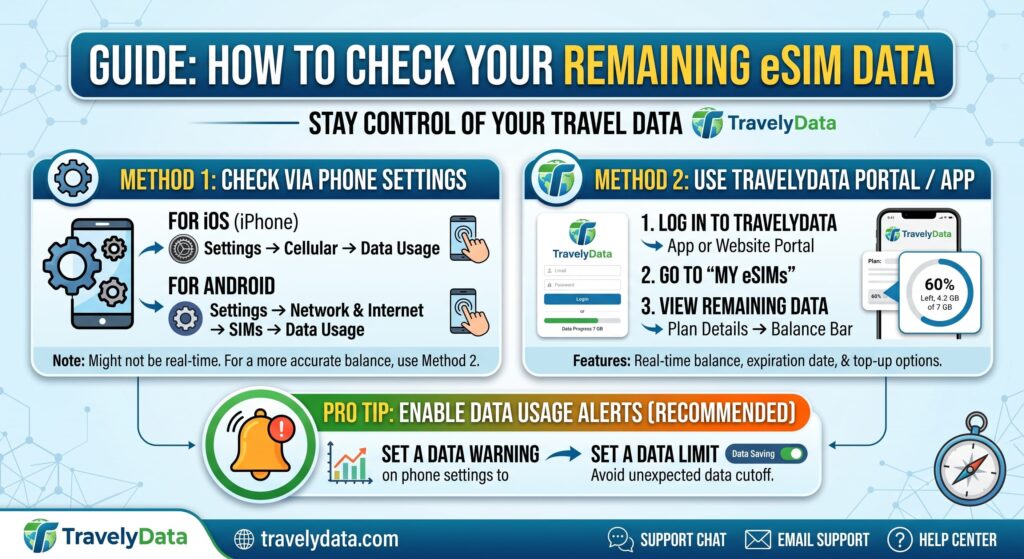
Monitoring Data Usage on iOS (iPhone)
If you are using an iPhone, Apple provides a detailed breakdown of your cellular data usage directly within the system settings. Follow these steps to track your TravelyData eSIM:
- Open the Settings app on your iPhone.
- Tap on Cellular (or Mobile Data in some regions).
- Scroll down to the Cellular Data section. Here, you will see a list of apps and the amount of data they have used during the current period.
- Pro Tip: To track usage specifically for your TravelyData eSIM period, scroll to the very bottom and tap Reset Statistics when you first activate your eSIM. This will start the counter from zero.
Monitoring Data Usage on Android
Android devices offer robust tools to track data, though the menu names might vary slightly depending on your manufacturer. Generally, the process is as follows:
- Open your device Settings.
- Tap on Connections or Network & Internet.
- Select Data usage.
- Tap on Mobile data usage to see a graph and a list of apps consuming your data.
- Ensure that the TravelyData eSIM is selected as the primary data source to see accurate statistics for your travel plan.
Why Use Native Tracking?
Using your phone’s native settings is highly recommended because it provides immediate feedback. You can identify data-hungry apps that might be running in the background and disable their cellular access to preserve your TravelyData balance. Combining native tracking with your TravelyData dashboard ensures you are always in control of your international roaming experience.
