
Understanding eSIM Compatibility and Carrier Status
Before purchasing an eSIM for your next international adventure with TravelyData, it is crucial to ensure that your smartphone is technically capable of supporting a digital SIM and is not restricted by your current mobile provider. An eSIM offers the convenience of switching plans without swapping physical cards, but it requires specific hardware and an unlocked network status to function correctly. Use this guide to verify your device’s compatibility and learn how to check your carrier settings in just a few taps.
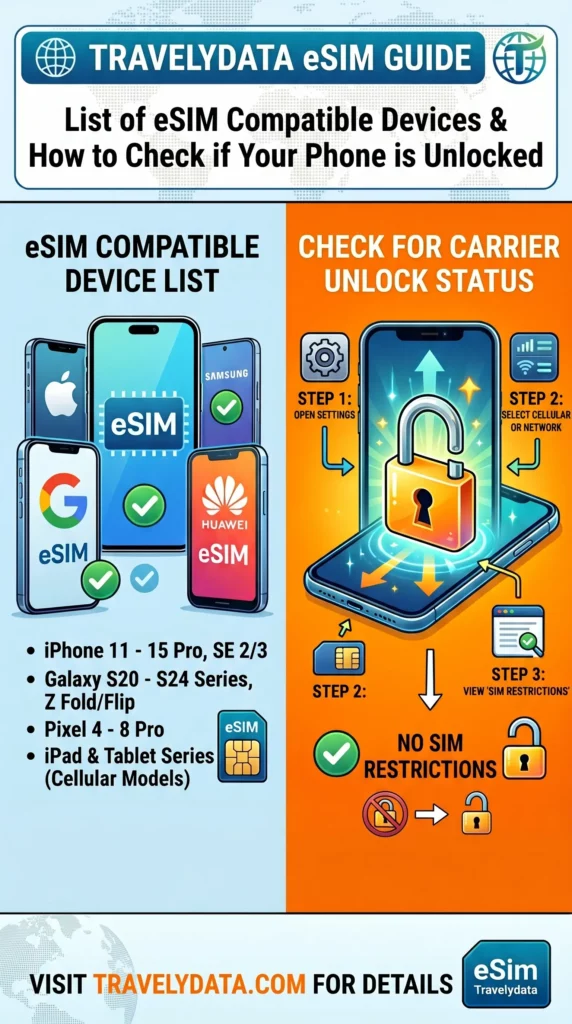
Apple iPhone Models
Apple has been a leader in eSIM adoption, including the technology in all flagship models since 2018. Compatible devices include:
- iPhone XR, XS, and XS Max
- iPhone 11, 11 Pro, and 11 Pro Max
- iPhone SE (2nd and 3rd Generation)
- iPhone 12, 12 Mini, 12 Pro, and 12 Pro Max
- iPhone 13, 13 Mini, 13 Pro, and 13 Pro Max
- iPhone 14, 14 Plus, 14 Pro, and 14 Pro Max
- iPhone 15, 15 Plus, 15 Pro, and 15 Pro Max
- iPhone 16 series
Samsung Galaxy Models
Samsung provides eSIM support across its premium S-series and foldable lineups:
- Galaxy S20, S20+, S20 Ultra
- Galaxy S21, S21+ 5G, S21 Ultra 5G
- Galaxy S22, S22+, S22 Ultra
- Galaxy S23, S23+, S23 Ultra
- Galaxy S24, S24+, S24 Ultra
- Galaxy Note 20, Note 20 Ultra
- Galaxy Z Fold (2, 3, 4, 5, 6) and Z Flip (all versions)
Google Pixel Models
Google Pixels offer some of the most straightforward eSIM management experiences:
- Pixel 3, 3 XL, 3a, 3a XL
- Pixel 4, 4a, 4 XL
- Pixel 5, 5a
- Pixel 6, 6a, 6 Pro
- Pixel 7, 7a, 7 Pro
- Pixel 8, 8a, 8 Pro
- Pixel 9, 9 Pro, 9 Pro XL
Xiaomi and Oppo Models
A growing number of models from Xiaomi and Oppo now feature eSIM capabilities:
- Xiaomi: 12T Pro, 13, 13 Lite, 13 Pro, 13 Ultra, 14, 14 Pro.
- Oppo: Find X3 Pro, Find X5, Find X5 Pro, Find X6 Pro, Reno 5A, Reno 6 Pro 5G, Reno 9A.
How to Check if Your Phone is Unlocked
Even if your device is on the compatibility list, it must be unlocked to accept an eSIM from TravelyData. A locked phone is restricted to the carrier from which it was purchased.
Checking Carrier Lock on iOS
- Open the Settings app.
- Go to General and tap About.
- Scroll down to the Carrier Lock section.
- If it says No SIM restrictions, your iPhone is unlocked.
Checking Carrier Lock on Android
- Go to Settings and select Connections or Network & Internet.
- Tap on Mobile Network.
- Look for Advanced or Network Operators.
- Turn off Select automatically. If you see a list of multiple different carriers, your phone is likely unlocked. If only one carrier appears, it may be locked.
- Alternatively, check Settings > About Phone > Status to look for SIM lock information.
